What Features Should Your Tech Startup MVP Actually Include?
Many first-time founders fall into one of two traps. Either they spend six months building a fully featured product nobody asked for, or they ship something so stripped down it can’t validate anything. Both outcomes waste time and money, and both stem from the same root cause: no clear definition of what actually belongs in a minimum viable product. Understanding the common features included in a minimum viable product for a tech startup is the fastest way to avoid both failure modes and scope your first release with confidence.
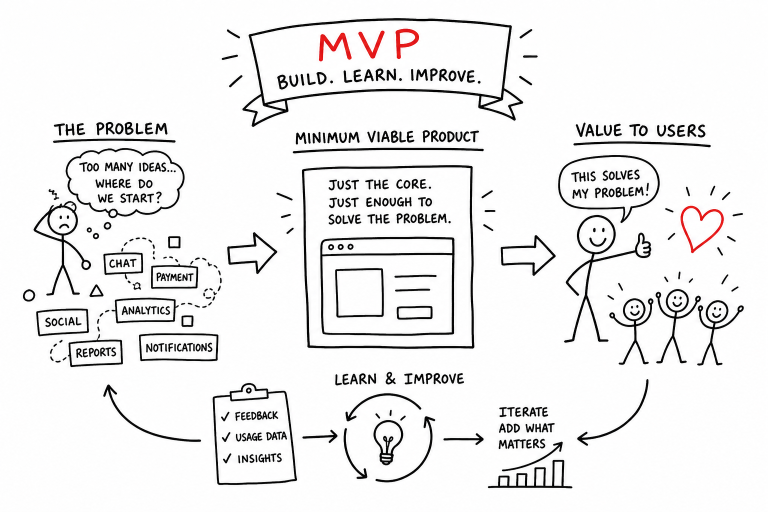
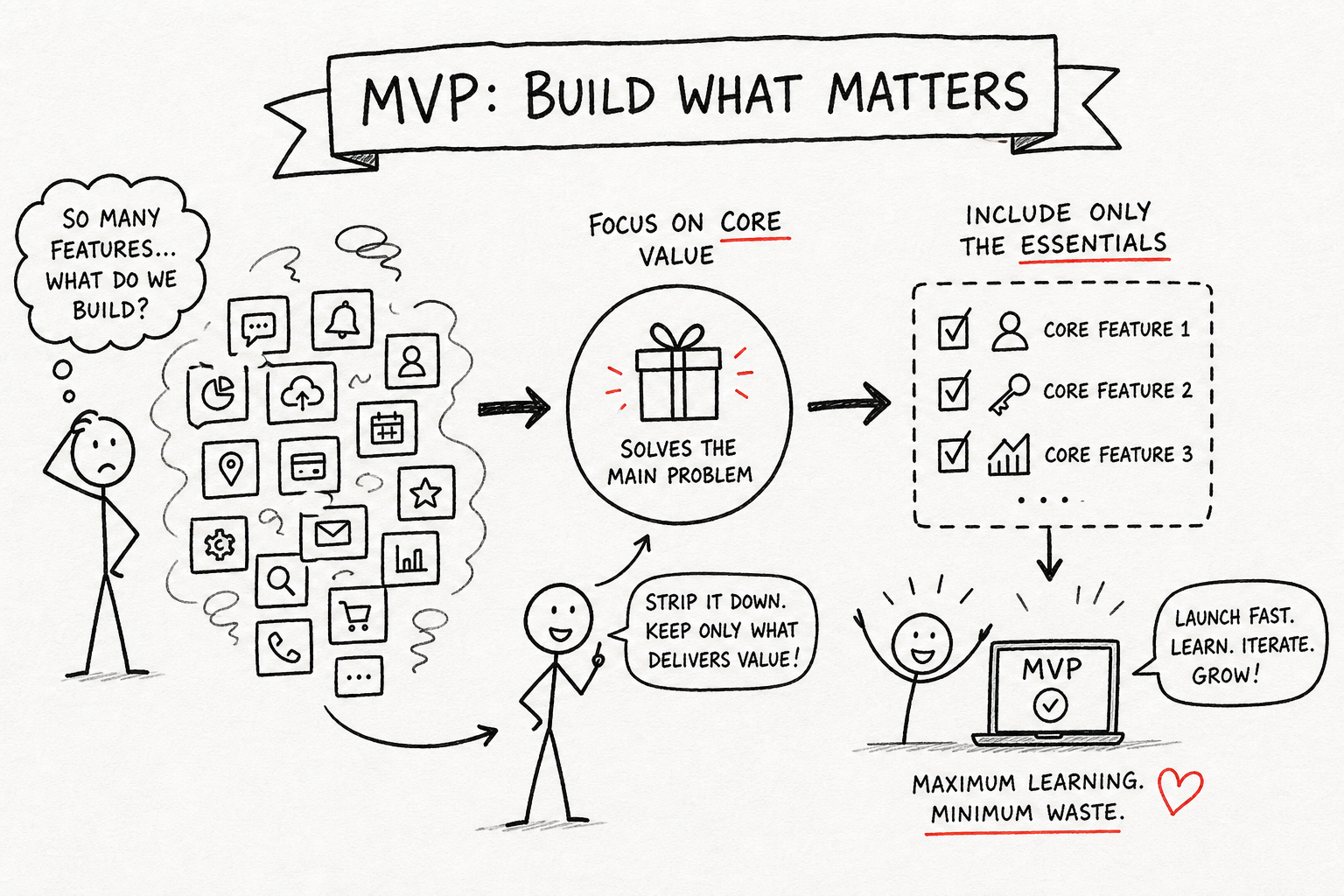
The goal of an MVP isn’t to impress anyone. It’s to answer one specific question as cheaply and quickly as possible: does this product solve a real problem well enough that people will use it? That’s it. Everything in your feature list should trace back to that question. If a feature doesn’t help you answer it, it doesn’t belong in the first build.
What follows is a practical breakdown of the core functionality every tech startup MVP needs, the features that routinely kill early builds, and a simple framework for deciding what makes the cut. By the end, you’ll have a working MVP checklist you can actually use to scope your first release.
Common features included in a minimum viable product for a tech startup
Authentication and account basics
Sign-up, log in, and password reset are standard requirements for most SaaS MVPs and apps where user identity matters, though some single-use consumer products can skip formal auth depending on the use case. They’re not glamorous, but they create the foundation that everything else sits on. Without them, you can’t tie usage data to individual users, which means you can’t learn anything meaningful from early testers. On roles and permissions: skip them entirely unless your product literally cannot function without them. Adding multi-user roles to an MVP scope out of habit rather than necessity is a common pitfall, one that can quietly consume weeks a small team doesn’t have.
The core workflow: one job, done well
This is your product. It’s the feature, screen sequence, or interaction that directly solves the one problem your startup exists to fix. This section of your build should absorb the majority of your development timeline and budget, not your navigation, settings, or integrations. If your MVP is a project management tool, the core workflow is task creation, assignment, and status tracking. If it’s a scheduling app, it’s booking a slot and confirming it. Draw a hard line between the core workflow and everything that supports it. Supporting features go on the backlog.
Onboarding flow that gets users to the “aha” moment fast
Onboarding is not a nice-to-have. It’s the bridge between a user signing up and a user actually experiencing the value of your product. Without a minimal guided setup or a clear first-run experience, users hit a blank screen, don’t know what to do next, and leave. You don’t need an elaborate multi-step tutorial. A short welcome sequence, a pre-filled example, or a single tooltip pointing at the first action can meaningfully reduce early drop-off. The only job of your MVP onboarding is to get the user to their first “aha” moment before they lose patience.
What Dropbox, Airbnb, and Buffer actually shipped first
Dropbox: a demo video before a working product
Before Drew Houston wrote a single line of production code, he posted a three-minute screen recording that showed how Dropbox would work. The product didn’t exist yet. The video did. Overnight, the beta waitlist grew from 5,000 to 75,000 signups. The lesson here isn’t about video marketing. It’s that the MVP feature was proof of desire, not the product itself. Houston validated that people wanted the solution before spending months building it. For contemporary coverage of that approach, see TechCrunch’s write-up on the Dropbox minimal viable product.
Airbnb: air mattresses and a basic photo listing
The original Airbnb MVP had three features: a listing, a photo, and a contact form. No reviews, no search filters, no payments infrastructure, no host profiles. The founders rented out their own apartment with air mattresses on the floor during a sold-out conference and used a basic website to connect with guests via email. That was it. The entire hypothesis was whether strangers would pay to stay in someone else’s space. Everything else came later, after that question had an answer. A clear case study of the Airbnb MVP shows how minimal the early product really was.
Buffer: a fake pricing page that validated willingness to pay
Joel Gascoigne built Buffer’s MVP in two pages. The first described the product as if it already existed. The second showed pricing tiers with no actual product behind them. He tweeted the link, watched people click through to the pricing page, and treated click-throughs to the paid tiers as validated demand. When users clicked a paid plan, he had his answer before writing a single line of product code. This is the lean startup principle at its most literal: prove that someone will pay before you build what they’re paying for. Read the detailed Buffer landing page validation account for the full sequence.
Features that kill MVPs before they launch
The “nice to have” trap
There’s a predictable pattern in early-stage builds where founders stack features that feel important but don’t actually test anything. Social sharing, advanced settings, custom branding, integrations, API access: none of these belong in a first release. The cost isn’t just the development time each one adds. It’s that a bloated MVP delays your launch, inflates your budget, and makes it nearly impossible to isolate what’s actually driving user behavior. A first build loaded with features makes it hard to tell which ones actually matter. A focused MVP can.
The difference between a product feature and a business feature
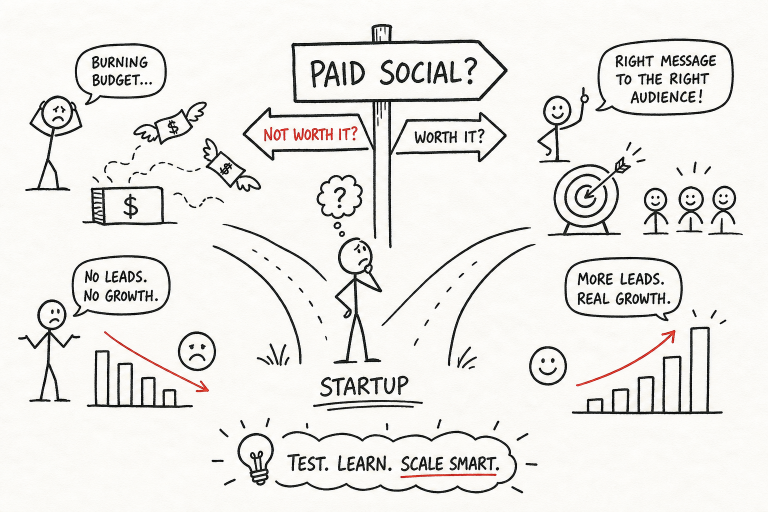
Billing systems, referral programs, and admin dashboards are business infrastructure, not product validation tools. They have their place, but that place is usually not your MVP. The exception is billing: include it when testing willingness to pay is your primary hypothesis, as Buffer’s fake pricing page demonstrated. Leave it out when you’re still trying to prove that users find the product valuable at all. A simple rule that removes most scope debates: if removing a feature doesn’t break the core workflow, it doesn’t belong in the MVP.
MVP feature prioritization: a simple framework for deciding what makes the cut
MoSCoW in plain English
MoSCoW stands for Must-have, Should-have, Could-have, and Won’t-have. Start with a full list of candidate features for your MVP. For each one, ask a single question: does the product work without this? If the answer is no, it’s a Must-have. If the answer is yes but it meaningfully improves the experience, it’s a Should-have. And if it’s a nice addition that doesn’t change the core, it’s a Could-have. Everything else is explicitly labeled Won’t-have for this release, which makes it much easier to defend scope decisions with your dev team. Most founders find their true Must-have list is a small handful of features, often fewer than five, not the fifteen they started with. For a practical explainer, see the MoSCoW prioritization guide.
The one-question test every feature should pass
“Does this feature help us learn whether users find value in the core product?” Run every candidate through that filter. If the answer is yes, it’s a legitimate contender. If the answer is no, it goes on the backlog regardless of how useful it might eventually be. This single question cuts through most scope-creep debates before they start, because it forces every feature discussion back to the actual purpose of the MVP.
RICE scoring for when the list is still too long
When you’ve applied MoSCoW and still have more features than you can ship in your target window, RICE gives you a numerical ranking. Score each feature on Reach (how many users it affects), Impact (how much it moves the needle), Confidence (how sure you are of your estimates), and Effort (how much work it takes). Divide the first three by the fourth: (Reach x Impact x Confidence) / Effort. The features with the highest scores rise to the top. It’s not a perfect system, but it replaces gut-feeling debates with a number, which is usually enough to make a faster decision.
The analytics and feedback loops your MVP needs from day one
Event tracking and a single funnel
Shipping an MVP without analytics is like running an experiment without recording the results. From day one, track the four or five user actions that matter most: sign-up, onboarding completion, first key action, and return visit. Build one primary funnel around your core hypothesis, something like visit to sign-up to activation to repeat use, and watch where users drop off. Tools like Mixpanel or Amplitude handle this well for early-stage SaaS and mobile apps without requiring a dedicated data team. One clear funnel tied to one hypothesis is all you need at this stage. For a broader list of product analytics options, see Pendo’s roundup of top product analytics tools.
One satisfaction measure and one feedback entry point
Behavioral data tells you what users are doing. A single NPS pulse or one-question satisfaction survey placed after a meaningful milestone tells you how they feel about it. Add a free-text prompt inside the product, something as simple as “What’s missing?”, and you’ll collect qualitative signal that explains why your numbers look the way they do. The combination of behavioral data and direct user language is the fastest path from MVP to a product people actually want to keep using. Don’t overthink the tooling here. One tracking tool, one survey, one feedback prompt is sufficient for your first 90 days.
Building your MVP scope: a practical 1, 3 month checklist
Pull everything above together and your MVP scope becomes straightforward. The common features included in a minimum viable product for a tech startup are fewer than most founders expect. Here’s your MVP checklist for the first release:
- Core auth: sign-up, log in, password reset. No roles unless the product requires them.
- Core workflow: the one sequence of actions that delivers your product’s primary value. This gets the majority of your build time.
- Basic onboarding: one guided path to the first “aha” moment. A welcome email sequence, a pre-filled example, or a single tooltip.
- One analytics funnel: four to five tracked events tied to your primary hypothesis, viewed in a single conversion funnel.
- One feedback touchpoint: an NPS pulse or one-question survey after a key milestone, plus a free-text field for open-ended input.
- Explicit “not yet” list: social sharing, integrations, advanced settings, API access, referral programs, admin dashboards. These all go on the backlog with a deliberate label so they don’t creep back in.
A realistic timeline for this scope is 8 to 16 weeks with a small team, and a budget in the $30,000 to $60,000 range for a custom build. Simpler products can come in faster and cheaper. The point isn’t to hit a specific number. It’s to ship something that tests your core hypothesis before you build the rest of the company around an assumption that hasn’t been validated yet.
Simplicity is a competitive advantage at this stage, not a compromise. The founders who move fastest are almost always the ones who were most ruthless about what they cut, not most creative about what they added. Dropbox proved demand with a video. Airbnb validated their model with air mattresses. Buffer tested pricing before writing code. None of them launched with a full product.
If you want to keep learning how real startups build, scale, and make decisions like these, CasualMBA publishes weekly breakdowns of exactly this kind of thinking in plain English, using companies you already know as the teaching vehicle. It’s a practical next step if you’re building something and want frameworks that actually apply to the decisions in front of you.